
Give your sponsor a number they can report
Live event photo and video capture is an on-site activation that photographs guests, brands the result, and delivers it to their phone in seconds. Curator Live runs the capture, the branding and the reporting from one iPad app.
A brand is buying reach it can point at and data it can keep. An attraction is buying throughput. This page is about doing both from the same activation.



 A 30-minute call with a real person on the Curator team, built around how you run events.
Curator
Your photos are ready. Share instantly ✨
Where Curator already runs
Countries those events took place in
Operating since December 2015
Online chat staffed around the clock
Every photo that leaves is branded
The photo is the media buy. It carries the logo out of the venue and into a phone that keeps it.
The frame is the placement
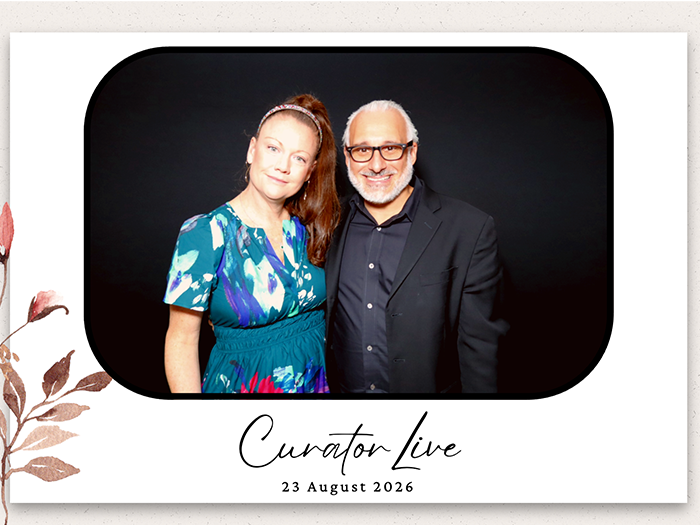
Overlays apply across the whole activation or differ per experience, and animate if the brand wants motion. Every button a guest touches can be replaced with the brand’s own artwork.

The logo, worn
A custom AI look can take a style reference and place a brand’s logo naturally onto clothing in the generated image, so the placement is in the picture rather than around it.
Their domain, their pixel
Delivery links and emails come from a domain the brand owns, the landing gallery carries their banner and call to action, and their own Google Analytics ID or Meta Pixel sits on that page.
Move the line, not the deadline
An activation is judged on how many people got through it. Four things take the bottleneck out.
Register in the queue
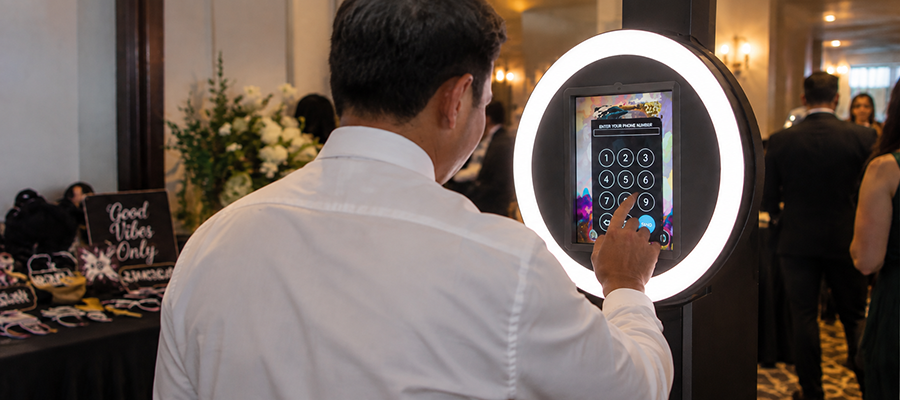
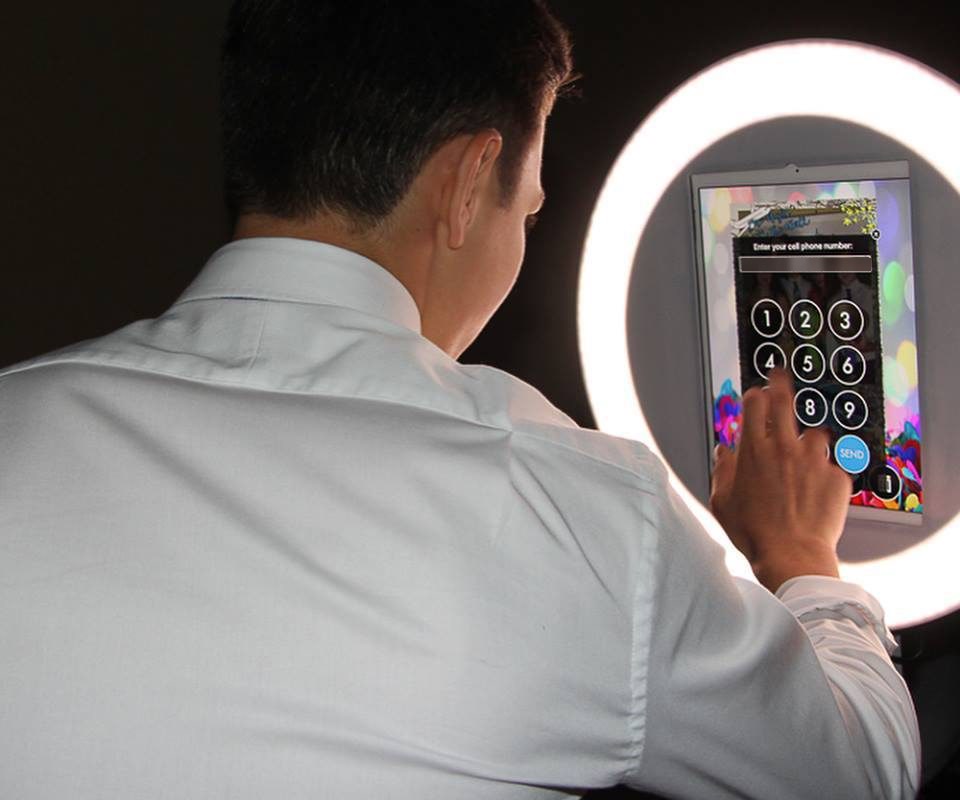
Guests scan a QR code before their turn, enter their details, and get a personal QR ticket. Staff scan the ticket at the activation and the media sends itself. Printed QR access cards do the same job at the gate.
Capture and go
Capture Only mode takes the shot and returns straight to the attract screen, so nobody stands at a sharing screen while a hundred people wait behind them.
A second screen for sharing
A sharing station on a second iPad runs the same event as a pickup point, so finding and sending media never occupies the camera.
Wristbands instead of typing
An RFID wristband or tag can be scanned to route a guest’s media to them, set up with your RFID provider, which removes the keyboard from the activation entirely.
Paid capture at the speed of free capture
Not every activation is paid for by a brand. When the guest is the one paying, the sale has to happen at the pace of the queue rather than beside it.
Take the money at the front
A kiosk takes the payment and then runs the session, so the transaction is done before the guest is in front of the camera and the operator is never handling cash on a festival field.
Or take it at the back
Capture first, deliver a watermarked preview, and sell the unlock from the gallery. The line keeps moving at capture speed and the buying happens on the guest’s own phone, somewhere else entirely.
One account, wherever it tours
Payment runs through a Stripe account you connect and own, with the currency set per event. A tour that crosses a border changes a setting rather than a payment provider.
Pricing an all-photos price, a per-photo price, or both, each switched on separately.
Collections built automatically by a rule you choose, including Photo Match, so a guest buys their own frames out of a day that produced thousands.
Watermark unpurchased photos carry a sales watermark, which lifts on purchase.
Confirmation the message after payment is yours to write, and can carry the brand rather than us.
Paid and sponsor-funded capture are the same event settings with sales switched on or off, so an activation that is free on the Friday can be paid on the Sunday.
Make the activation visible from across the floor
Photo mosaic, building live
Every photo pushes into a Picture Mosaics project as it is taken, so a giant mosaic assembles on a screen while the activation is still running and finishes when the doors close.
Slideshow on any screen
A live slideshow runs in a browser over HDMI with nothing to install, on an Apple TV app, or between two devices over local Wi-Fi with no internet at all, in single or quad layout.
Several activations at once
One account can run multiple events simultaneously, so a 360 platform, a DSLR set and a roaming shooter each run their own event across the same festival.
What the brand actually takes home
Reach is the story, but the data is the renewal. Both come out of the same event.
Consent, then fields
A disclaimer you write appears before anything is collected and can require a tick to continue. After that, collect a name, an email address, a phone number, opt-ins, a birthday, a region and up to eight fields of your own.
Counts you can quote
Total photos, gallery views, share counts, popular photos and data-capture totals sit in one dashboard with date-range filtering. Clicks on delivered links are tracked per record.
A page you hand over
A shareable analytics page sits behind its own password, so the client gets the report without getting an account login. Captured data exports to a spreadsheet and the media downloads as a ZIP.
A festival field is not a data centre
Photos capture to a queue on the device, printing continues, and the app behaves exactly as it does online. Text and email delivery pause and send themselves once the connection returns. A guest who scans before their photo has uploaded lands on a Notify Me page and is texted or emailed the moment it is ready.
While a queue is sending, leave the app open. Closing it or switching events before the queue clears discards what is still in it.
Someone is awake while your activation runs
Online chat is staffed 24 hours a day, seven days a week, which is when load-in, doors and teardown actually happen. Chat stays open while your event runs.
When it cannot wait for a chat reply, there is a number for emergencies during a live event: +1 (800) 708-0247.
Common questions
What is live event photo and video capture?
Live event photo and video capture is an on-site activation that photographs guests, brands the result, and delivers it to their phone in seconds. Curator Live runs the capture, the branding and the reporting from one iPad app, and has been operating since December 2015 across 96 countries.
What can we report back to a sponsor?
Total photos, gallery views, share counts, popular photos and data-capture totals, with date-range filtering, plus click tracking on the links that were delivered. There is also a shareable analytics page behind its own password, so the client gets the report without getting an account login.
How do we brand every photo for the sponsor?
Overlays apply across the whole activation or differ per experience and can be animated. Every button a guest touches can carry the brand’s own artwork, delivery links and emails come from a domain the brand owns, and the landing gallery carries their banner and call to action.
How do we move a long line through the activation?
Guests scan a QR code before their turn, enter their details, and get a personal QR ticket that staff scan at the activation. Capture Only mode takes the shot and returns straight to the attract screen with no sharing step, and a sharing station on a second iPad handles pickup so it never occupies the camera.
Can we build a photo mosaic on a screen during the event?
Yes. Every photo pushes into a Picture Mosaics project as it is taken, so the mosaic assembles on screen while the activation is still running. A live slideshow can also run in a browser over HDMI, on an Apple TV app, or between two devices over local Wi-Fi with no internet.
Can guests scan a wristband instead of typing their details?
Yes. An RFID wristband or tag can be scanned to route a guest’s media to them. It is set up with your RFID provider, and it removes the keyboard from the activation entirely.
What data can we collect, and when are guests asked?
A disclaimer you write appears before anything is collected and can require a tick to continue. After that you can collect a name, an email address, a phone number, opt-ins, a birthday, a region and up to eight fields of your own, then export the results as a spreadsheet.
What happens if the internet goes down mid-event?
The event keeps running. Photos capture to a local queue, printing continues, and the booth behaves exactly as it does online. Text and email delivery pause and send automatically once the connection returns.
How many devices does one licence cover?
One licence covers one device.
Can guests pay for their own photos?
Yes. Sales are turned on per event and guests buy their photos from the gallery. Set an all-photos price, a per-photo price, or both, and choose the currency for that event. A kiosk can take the payment before it runs the session, or photos can carry a sales watermark that lifts when the guest buys. The money runs through a Stripe account you connect and own.
See it built for your activation
Book a demo and we will go through the branding, the throughput and the report the client is expecting.