
Photo, video and 360 experiences
Curator Live is a platform with apps for photo booths, 360 booths, DSLR capture and instant media delivery. Every guest-facing experience on this page runs from the same iPad app. AI is one of them, not the whole list.



 A 30-minute call with a real person on the Curator team, built around how you run events.
Curator
Your photos are ready. Share instantly ✨
countries
running events
support
Curator has been running events since December 2015, in 96 countries, with support staffed around the clock.
What is a photo booth experience?
A photo booth experience is the capture format a guest picks at the booth (a photo, a video, a boomerang, a GIF, a 360 spin or an AI-rendered portrait) together with the look applied to it and the way it reaches their phone. In Curator Live an event presents up to six experiences behind branded buttons on the booth screen, and each experience carries its own layouts, overlay, print rules and sharing options.
How the moment is captured
The capture format a guest chooses. An event can run several of these side by side from one iPad.
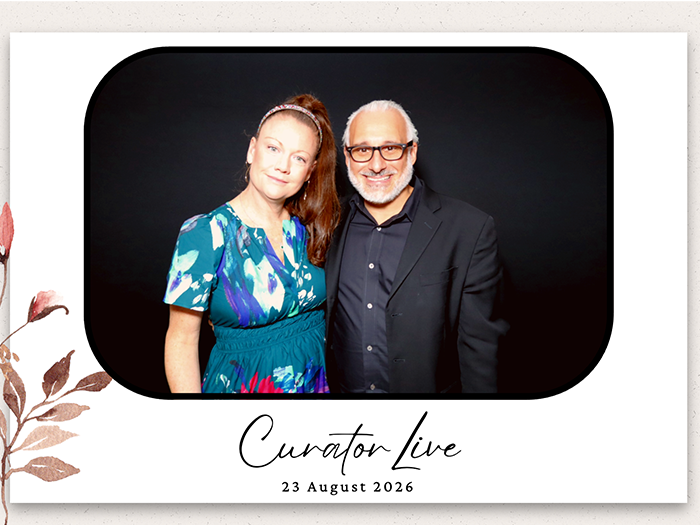
Single & Multi Photo
Single and multi photo is the standard booth experience: one shot, or a set of shots dropped into a print layout. It is the recommended route to photo strips, with up to four layouts per experience and up to 30 photo boxes inside a layout.
Video
Video capture records a clip at the booth and wraps it in a template, a soundtrack, a pre-roll and a post-roll. Recording length, mirroring and the countdown are set per event.
Boomerang
A boomerang is a short clip played forwards and then backwards in a loop. Duration and playback speed are set per experience, so the same booth can run a fast loop at a party and a slower one at a brand activation.
Animated GIF
An animated GIF strings several frames captured in sequence into a looping image. Frame count and playback speed are configurable, and the GIF carries the same overlay and branding as a still photo.
360 Capture
A 360 booth films a guest from a camera arm rotating around them while they stand on a platform. Curator drives OrcaVue and GlamBot platforms from inside the app (start, stop, rotation speed and capture sync) with no Bluetooth pairing in iOS Settings.
Video Guest Book
A video guest book is a confessional station where guests record a spoken message for the host instead of posing for a photo. Curator runs it as a CustomFX experience using the Video Guest Book Confessional template with external audio, and recording time and video size are adjustable.
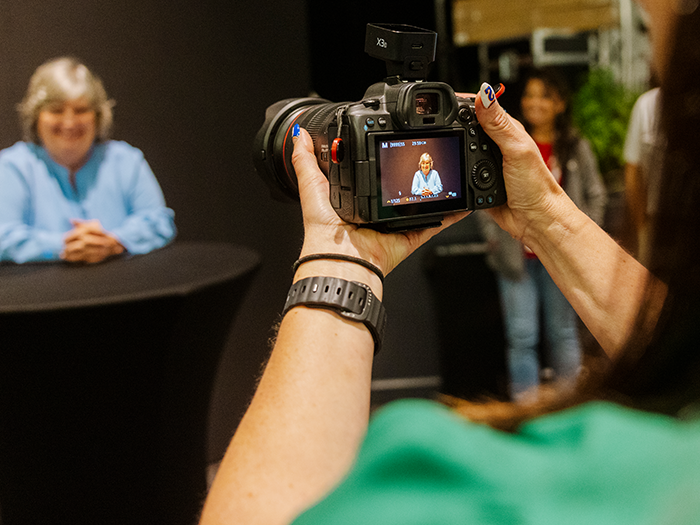
Photography Mode
Photography Mode is the DSLR photographer workflow: frames fire from a real camera and land in the app for selection, sharing and printing. One event can carry up to six photographer experiences, each with its own landscape and portrait overlay and watermark.
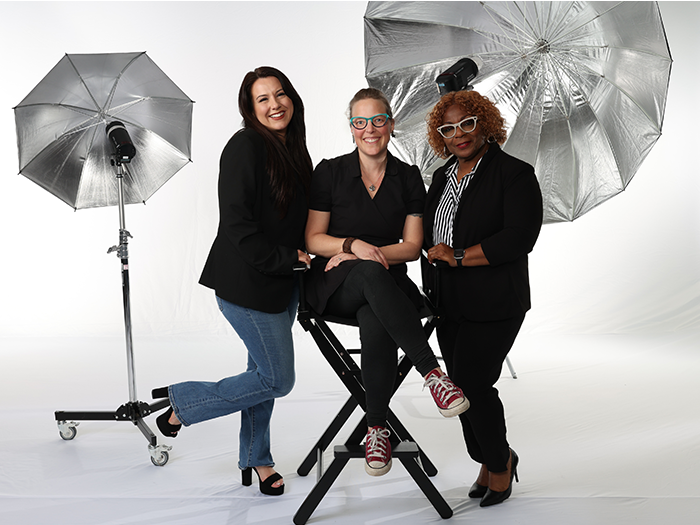
Professional Headshots
A headshot station is Photography Mode set up for one job: a portrait shot on a DSLR, reviewed on the iPad and delivered before the guest walks away. The photographer’s watermark and overlay apply to every frame.
What gets applied to it
Looks and effects that sit on top of a capture. Filters, overlays and layouts stack on the same frame.
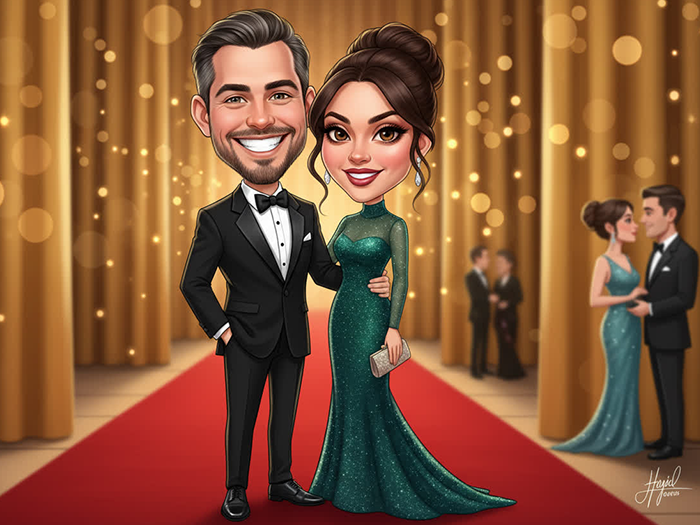
AI Photo Effects
AI photo effects re-render a guest’s single photo into a look they picked on screen (a style, a scene or a costume) and hand back a finished image. Renders average around seven seconds, an event can carry up to six AI effect experiences, and each experience holds up to 40 prompts.
Green Screen
Green screen capture keys out a physical green backdrop and replaces it with a background the guest chooses on screen. It runs locally in the app, so it keeps working when the venue connection does not.
AI Background Removal
AI background removal separates the guest from whatever is behind them without a green screen, then drops in an image or a video. It runs on the device rather than in the cloud, needs no internet connection, consumes no AI credits, and works on single photos, boomerangs, video and 360.
AR Backgrounds
AR background mode places the guest inside a scene rendered live on screen, so they can see where they are standing while they pose. It is available on every experience and needs no internet connection.
Digital Props
Digital props are wearable overlays (hats, glasses, crowns) tracked to a guest’s face and body as they move. They work in photo and in 360 video, and you design your own in the Curator Live Image Editor using its facial placement guides.
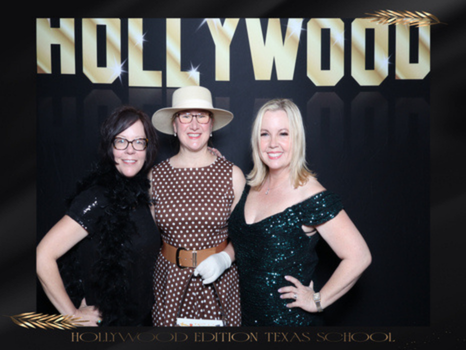
Draw on Photo
Draw on photo hands the screen to the guest to annotate their own capture before it is shared: a signature, a date, a scrawled message. It applies to single photos and to photo layouts.
What the guest takes away
The physical output. Layouts and overlays are built in the browser, so a new format is a design job rather than a development one.
Photo Strips & Prints
A print is what a guest walks away holding, built from a layout you design in the Curator Live Image Editor. One event can output up to eight print sizes at once, so a 2×6 strip and a 6×4 print can come off the same session.
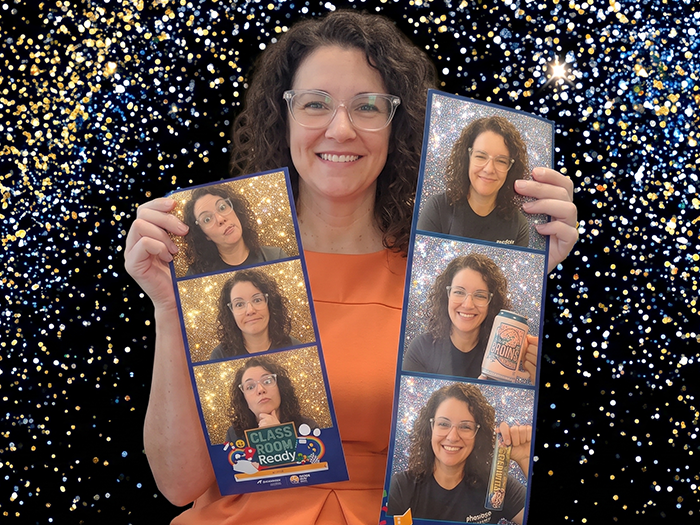
Jumbo Photo Strips
Jumbo photo strips are extra-long strips (6×14, 6×20, 8×22 and 8×32) printed as several panels onto one continuous strip. They run through direct USB printing, and Curator supplies a ready-made template event to start from.
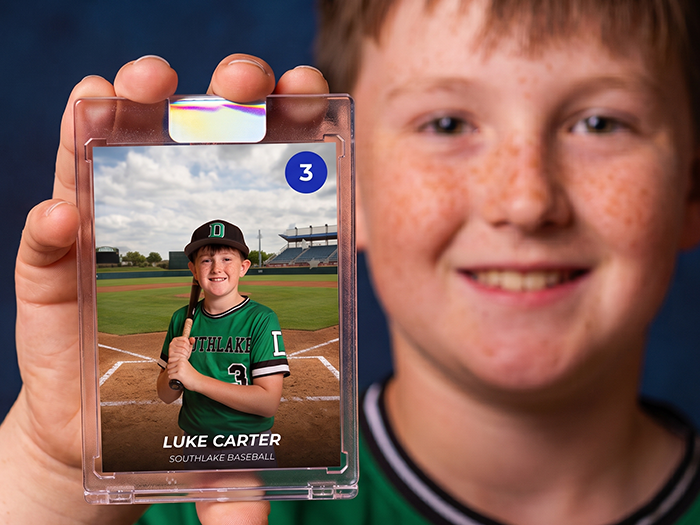
Trading Cards
A trading card is a photo printed into a collectible card layout, with a name, a badge or a stat line set around it. You build the card as a print layout in the Image Editor, position each photo box to the pixel, and reuse it across every event.
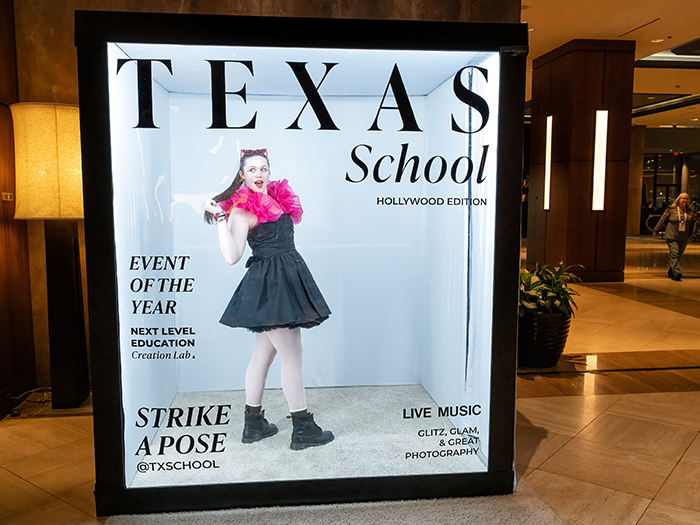
Magazine Covers
A magazine cover puts a guest’s photo behind a branded masthead so the finished print reads like a cover. It is an overlay with a cutout, designed in the Image Editor and applied event-wide or to a single experience, and there is a template gallery to start from.
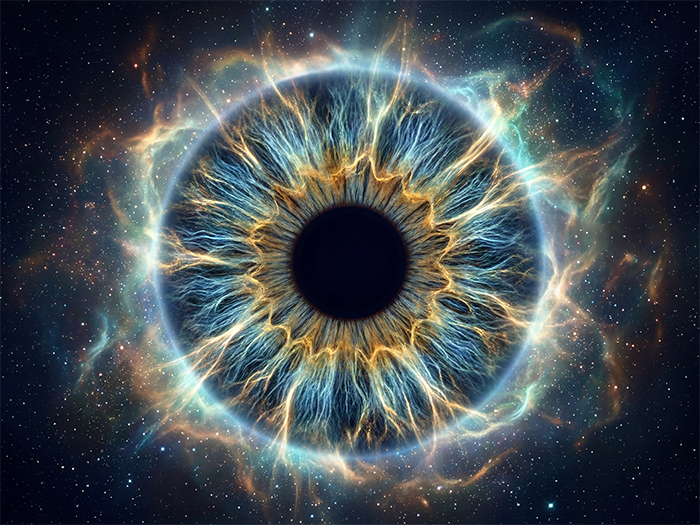
AI IRIS Artwork
An IRIS photograph is a macro shot of a guest’s eye, processed into a piece of stylised iris artwork they take home. It runs inside a Photography event and needs a macro lens on the camera.
Photo Mosaic
A photo mosaic is a large image assembled on a screen out of every photo the booth takes, growing as the event runs. Curator pushes each capture into a Picture Mosaics project live, using a project key set on the event.
Prints come off a printer wired to the iPad by a single cable with direct USB printing, or from the free Curator Print Server on a Mac or Windows machine. Direct USB printing requires an M-series iPad running iPadOS 18 or later, app version 1.1.47 or later, and a DNP or Citizen printer.
How it reaches their phone
Delivery is part of the experience. Every method below is configured on the same event as the capture.
Text and email
Guests enter a phone number or an email address on the sharing screen and the file arrives on their phone. SMS and email delivery are built into the platform, so there is no separate messaging account to open before an event.
QR to their own photo
A personal QR code on the sharing screen takes a guest straight to their own capture rather than to the whole gallery. They scan and download without typing anything.
QR to the gallery
A second QR code opens the branded event gallery, where guests browse everything the booth has taken. The gallery can be put behind a password, or switched off entirely.
AirDrop
AirDrop sends a capture straight to a nearby Apple device from the sharing screen. It asks the guest for no contact details at all.
RFID wristbands
RFID scanning reads a wristband or a tag at the booth and routes that guest’s media to the account already linked to it. It is an enterprise setup and needs back-end work with the RFID provider.
QR pre-registration
Pre-registration lets guests scan a QR code before their turn, enter their details on a short form and receive a personal QR ticket. Staff scan the ticket at the booth and the media sends itself, so nobody queues at the sharing screen.
Photo Match
Photo Match lets a guest pull their own shots out of a large gallery instead of scrolling all of it. The guest asks for their own photos, and reaches a gallery with nothing in it but their own. It works with the public gallery switched off, and across photography, 360 and AI experiences.
Live slideshow
A slideshow puts the event’s captures on a TV as they happen. It runs in a browser over HDMI, on an Apple TV app, or from a second iPad over local Wi-Fi when the venue has no internet.
Delivery can also be a sale. Turn sales on for an event and guests buy their own photos from the gallery, paying at the kiosk before the session or paying afterwards to lift a sales watermark from a photo they have already seen. The money runs through a Stripe account you connect and own. How guest photo sales works.
How the booth runs
The operating modes underneath every experience above.
Kiosk mode
Kiosk mode locks an iPad to a single event. Whoever sets the booth up types an event code, the app starts the experience, and there is no route from that device into your account. Built for permanent installs and drop-off booths.
Hands-free start
A guest can begin a session by holding a pose instead of tapping the screen. Gesture start shipped in app version 1.1.47 and suits high-traffic venues and touch-free installations.
When the connection drops
The event keeps running. Photos capture to a local queue, printing continues, and the booth behaves exactly as it does online. Text and email delivery pause and send automatically once the connection returns.
One operating note on the offline queue: leave the app open while it sends. Closing the app or switching events before the queue has cleared discards whatever is still sitting in it.
Frequently asked questions
What is a photo booth experience?
A photo booth experience is the capture format a guest picks at the booth (a photo, a video, a boomerang, a GIF, a 360 spin or an AI-rendered portrait) together with the look applied to it and the way it reaches their phone. In Curator Live each experience carries its own layouts, overlay, print rules and sharing options.
What experiences can Curator Live run?
Single and multi photo, video, boomerang, animated GIF, 360 capture, video guest book, Photography Mode for DSLR shooting, and AI photo effects. Green screen, AI background removal, AR backgrounds, digital props and draw-on-photo are applied on top of those, and the output can be a print, a jumbo photo strip, a trading card, a magazine cover, IRIS artwork or a live photo mosaic.
How many experiences can one event offer?
An event presents up to six experiences behind branded buttons on the booth screen, and up to nine on accounts with additional experiences enabled. Guests choose from those buttons, and each experience keeps its own layouts, overlay and print settings.
What happens if the internet goes down mid-event?
The event keeps running. Photos capture to a local queue, printing continues, and the booth behaves exactly as it does online. Text and email delivery pause and send automatically once the connection returns.
Can guests take a photo without touching the screen?
Yes. Hands-free gesture start lets a guest hold a pose to begin a session, with no tap on the screen, and it shipped in app version 1.1.47. A Bluetooth shutter remote is supported as an alternative for a staffed booth.
How do guests find their own photos in a large gallery?
Photo Match lets a guest pull their own shots out of a large gallery instead of scrolling all of it. The guest asks for their own photos, and reaches a gallery with nothing in it but their own. It can run with the public gallery switched off. It is on Agency Pro and Enterprise plans.
Do AI effects cost extra?
AI background removal runs on the device and consumes no credits. AI photo effect renders draw on AI credits and need an Event Pro or Agency Pro plan; face swap renders cost no credits. Current credit prices are shown in the Tools area of your account.
Can Curator print without a computer at the booth?
Yes. Direct USB printing runs one cable from the iPad to the printer, with no computer, print server or network in between. It requires an M-series iPad on iPadOS 18 or later, app version 1.1.47 or later, and a DNP or Citizen printer. The free Curator Print Server for Mac and Windows covers every other printer and connection method.
What is a video guest book?
A video guest book is a confessional-style station where guests record a spoken message for the host instead of posing for a photo. Curator runs it as a CustomFX experience with the Video Guest Book Confessional template and external audio, and the recording length and video size are set per event.
See the experiences running
Book a demo and we will walk through the experiences that fit your space, your audience and your printer.